
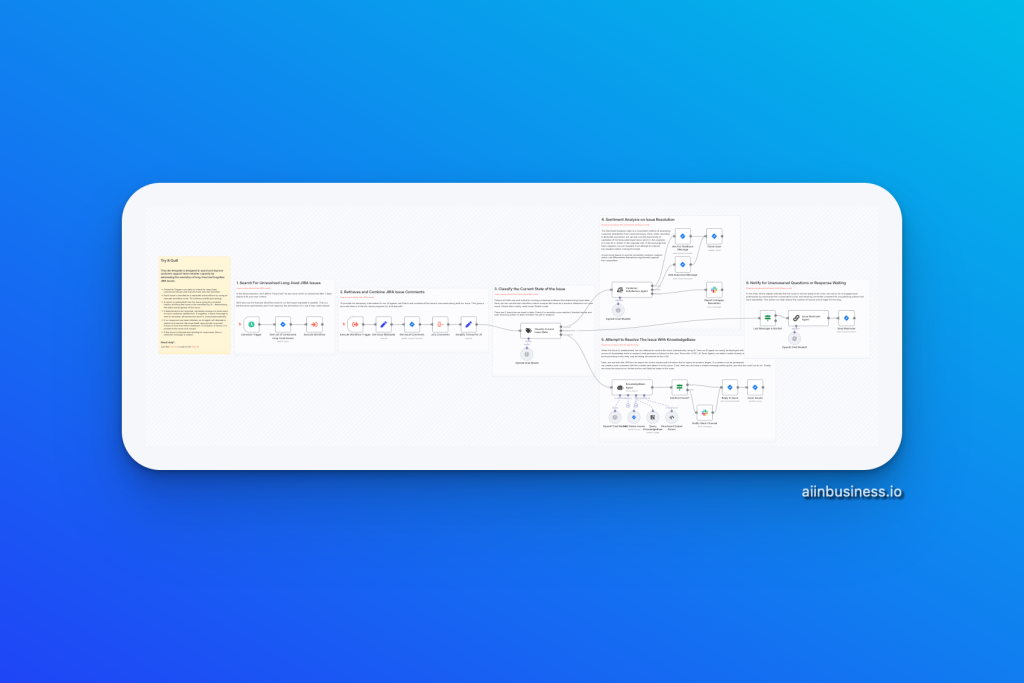
If you manage a customer support team or work in a technical support environment, you know how frustrating it is to have unresolved JIRA issues lingering in your backlog. This workflow helps you automate the tracking, analysis, and resolution of old JIRA issues, ensuring nothing falls through the cracks.
🔄 What This Workflow Does
This n8n workflow:
- Identifies Long-Lived JIRA Issues:
- Finds issues older than 7 days that are not marked as “Done.”
- Finds issues older than 7 days that are not marked as “Done.”
- Processes Each Issue in Parallel:
- Uses sub-workflows to handle issues independently and efficiently.
- Uses sub-workflows to handle issues independently and efficiently.
- Analyzes Issue Status Using AI (OpenAI):
- Classifies issues based on comment history.
- Determines whether the issue is resolved, blocked, or needs more input.
- Classifies issues based on comment history.
- Performs Sentiment Analysis:
- If resolved, analyzes sentiment for customer satisfaction.
- Sends Slack notifications if negative feedback is detected.
- If resolved, analyzes sentiment for customer satisfaction.
- AI-Assisted Issue Resolution:
- If unresolved, attempts to provide a solution by searching:
- Similar resolved issues.
- Notion database for related documentation.
- Similar resolved issues.
- Posts solutions directly to JIRA if successful.
- If unresolved, attempts to provide a solution by searching:
- Handles Blocked Issues:
- Adds reminder messages if the issue is waiting on responses.
- Adds reminder messages if the issue is waiting on responses.
- Generates Reports:
- Provides insights on progress and unresolved issues.
- Provides insights on progress and unresolved issues.
🔧 How It Works
1. Automated Trigger (Schedule Node)
- Runs daily to check for issues that have been unresolved for over 7 days.
- The query can be adjusted if you need a different timeframe.
2. Parallel Issue Handling (Sub-Workflows)
- Uses the Execute Workflow Node to break down the workload.
- Allows multiple issues to be processed simultaneously for efficiency.
3. Issue Analysis (AI-Powered Classification)
- Uses OpenAI’s LLM (GPT-4o-mini) to evaluate the comment history.
- Classifies the issue into categories:
- Resolved: Proceeds to sentiment analysis.
- Unresolved: Attempts resolution with similar cases.
- Blocked: Adds a reminder message to encourage follow-up.
- Resolved: Proceeds to sentiment analysis.
4. Sentiment Analysis and Slack Notification
- Checks resolved issues for positive or negative sentiment.
- Slack Notification:
- If negative, sends a message to the support team for escalation.
- Otherwise, the issue is closed automatically.
- If negative, sends a message to the support team for escalation.
5. AI Resolution Attempt
- Searches for related solutions:
- Similar Resolved Issues: Finds matching resolutions.
- Notion Database: Pulls relevant guides or documentation.
- Similar Resolved Issues: Finds matching resolutions.
- Posts solution back to JIRA if found.
6. Blocked Issue Handling (Reminder Messages)
- If the issue is waiting on responses, it sends a reminder message.
🌟 Why This Workflow Is Valuable For You
- Increase Team Efficiency:
Your support team can focus on higher-value tasks while the workflow handles repetitive processes. - Improve Customer Satisfaction:
AI-powered analysis and sentiment tracking ensure negative feedback is flagged immediately. - Reduce Resolution Time:
Automated responses and reminders help unblock issues faster. - Scalable Solution:
Perfect for teams with frequent long-lived issues.